The Ultimate Electronics Buying Guide: Navigate the Tech Landscape with Confidence
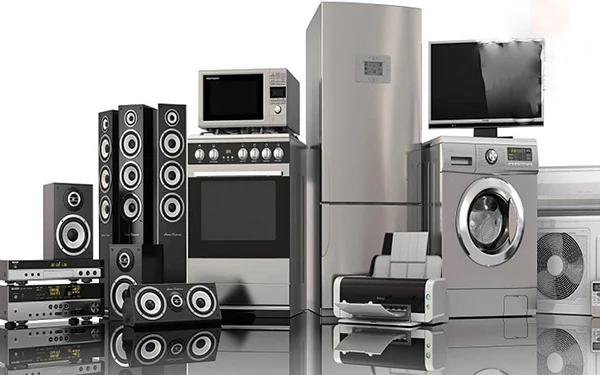
The world of electronics is a dazzling, ever-evolving landscape. From the smartphones in our pockets to the smart home devices that automate our lives, technology permeates nearly every aspect of modern existence. For consumers, this constant innovation presents both incredible opportunities and a daunting array of choices. Navigating this complex market requires more than just a passing interest; it demands informed decision-making. This comprehensive buying guide is designed to equip you with the knowledge and confidence to make smart purchases, ensuring you get the most value and satisfaction from your electronic investments.
Understanding Your Needs: The Foundation of Smart Electronics Shopping
Before you even begin browsing, the most crucial step is to clearly define what you need. Impulsive purchases, driven by flashy marketing or the allure of the latest gadget, often lead to buyer's remorse. Take a moment to ask yourself fundamental questions:
* **What problem am I trying to solve?** Are you looking for entertainment, productivity, communication, security, or something else entirely?
* **What is my budget?** Electronics range from budget-friendly essentials to high-end luxury items. Setting a realistic budget upfront will narrow your options significantly.
* **Who will be using this device?** Consider the technical proficiency of the intended user. A device that's intuitive for a tech enthusiast might be frustrating for a novice.
* **What are my must-have features?** Distinguish between essential functionalities and desirable extras. Prioritizing these will help you compare models effectively.
* **What is my existing ecosystem?** If you're heavily invested in a particular brand's ecosystem (e.g., Apple, Google, Samsung), compatibility might be a key consideration.
By answering these questions, you'll create a clear blueprint for your electronics search, making the process far more efficient and targeted.
Key Electronics Categories and What to Look For
Let's dive into some of the most popular electronics categories and the key considerations within each.
Smartphones and Mobile Devices
Smartphones are arguably the most personal and versatile electronic devices we own. When choosing a new smartphone, consider:
* **Operating System (OS):** The primary choice is between iOS (Apple) and Android. iOS is known for its user-friendliness and strong ecosystem integration. Android offers greater customization and a wider range of hardware choices across various price points.
* **Display:**
* **Size:** From compact phones for one-handed use to large phablets for immersive viewing, screen size is a personal preference.
* **Resolution:** Higher resolutions (e.g., QHD+) offer sharper images, while Full HD is generally sufficient for most users.
* **Technology:** OLED displays offer superior contrast and deeper blacks compared to LCD screens.
* **Camera:** If photography is important, look for:
* **Megapixel Count:** While not the sole indicator of quality, higher megapixels can allow for more detail.
* **Aperture:** A lower f-number (e.g., f/1.8) indicates a wider aperture, allowing more light for better low-light performance and bokeh effects.
* **Number of Lenses:** Multiple lenses (wide-angle, ultra-wide, telephoto) offer greater photographic versatility.
* **Image Stabilization:** Optical Image Stabilization (OIS) helps reduce blur from hand shake.
* **Performance:**
* **Processor (Chipset):** A faster processor ensures smoother multitasking and gaming. Look for the latest generations from reputable manufacturers like Apple (A-series), Qualcomm (Snapdragon), and MediaTek.
* **RAM:** More RAM (e.g., 8GB or more) generally leads to better performance, especially when running multiple apps.
* **Battery Life:** Check reviews for real-world battery performance. Fast charging and wireless charging capabilities are also convenient features.
* **Storage:** Consider how much space you'll need for apps, photos, videos, and music. Many phones offer expandable storage via microSD cards.
* **Durability:** Look for water and dust resistance ratings (IP ratings) and durable screen materials like Corning Gorilla Glass.
Laptops and Computers
Whether for work, school, or entertainment, a laptop or desktop computer is a significant investment.
* **Form Factor:**
* **Laptops:** Offer portability. Consider ultrabooks for portability, traditional laptops for a balance of power and portability, and gaming laptops for high performance.
* **Desktops:** Offer more power for the price and easier upgradability but lack portability.
* **All-in-Ones:** Combine the monitor and computer into a single unit, offering a cleaner aesthetic.
* **Operating System:** Windows, macOS, and ChromeOS are the main options. Windows offers the widest software compatibility. macOS is known for its user-friendly interface and strong creative software integration. ChromeOS is lightweight and ideal for web-based tasks.
* **Processor (CPU):** Intel (Core i3, i5, i7, i9) and AMD (Ryzen 3, 5, 7, 9) are the leading manufacturers. Higher numbers generally indicate better performance.
* **RAM:** For basic tasks, 8GB is sufficient. For multitasking, creative work, or gaming, 16GB or more is recommended.
* **Storage:**
* **SSD (Solid State Drive):** Significantly faster than HDDs, offering quicker boot times and application loading. Highly recommended.
* **HDD (Hard Disk Drive):** Slower but offers more storage capacity for the price, often used for bulk storage.
* **Graphics Card (GPU):** Crucial for gaming, video editing, and 3D rendering. Integrated graphics are sufficient for basic tasks, while dedicated GPUs from NVIDIA (GeForce) and AMD (Radeon) are needed for demanding applications.
* **Display:**
* **Size:** 13-inch for ultra-portability, 15-inch as a common all-rounder, 17-inch for a more immersive experience.
* **Resolution:** Full HD (1920x1080) is standard. Higher resolutions (QHD, 4K) offer sharper visuals.
* **Touchscreen:** Adds versatility for some users.
* **Connectivity:** Ensure sufficient USB ports (including USB-C), HDMI output, Wi-Fi, and Bluetooth.
Televisions
Transform your living room into an entertainment hub with the right TV.
* **Screen Size:** Measure your viewing distance to determine the optimal screen size for an immersive experience without eye strain. A general rule of thumb is to sit about 1.5 to 2.5 times the screen diagonal away.
* **Resolution:**
* **4K (UHD):** The current standard, offering four times the pixels of Full HD for incredible detail.
* **8K:** Offers even greater detail but content is still limited, and the difference is often imperceptible at typical viewing distances.
* **Display Technology:**
* **LED/LCD:** The most common type, with backlighting.
* **QLED:** An enhancement of LED with quantum dots for improved color and brightness.
* **OLED:** Each pixel emits its own light, offering perfect blacks, infinite contrast, and exceptional viewing angles. More expensive but superior picture quality.
* **HDR (High Dynamic Range):** Enhances contrast and color accuracy, making images more lifelike. Look for HDR10, HDR10+, and Dolby Vision support.
* **Refresh Rate:** Measured in Hertz (Hz), this indicates how many times the image on the screen is updated per second. A higher refresh rate (e.g., 120Hz) results in smoother motion, especially for sports and gaming.
* **Smart TV Features:** Most modern TVs come with built-in smart platforms (e.g., Roku TV, Google TV, webOS, Tizen) offering access to streaming apps and internet browsing.
* **Sound:** While built-in speakers are improving, consider a soundbar or home theater system for a truly immersive audio experience.
Audio Equipment: Headphones and Speakers
Immerse yourself in your favorite music, podcasts, or movies with quality audio devices.
* **Headphones:**
* **Type:**
* **Over-ear:** Enclose the entire ear, offering comfort and good noise isolation.
* **On-ear:** Rest on the ears, more portable than over-ear but can be less comfortable for long periods.
* **In-ear (Earbuds):** Compact and portable, offer good isolation.
* **Wired vs. Wireless:** Wireless offers convenience, while wired can provide superior audio quality and no battery concerns.
* **Noise Cancellation:** Active Noise Cancellation (ANC) significantly reduces ambient sound, ideal for travel or noisy environments.
* **Sound Quality:** Look for detailed reviews focusing on bass, mids, and treble balance, as well as soundstage.
* **Speakers:**
* **Bluetooth Speakers:** Portable and easy to connect, great for on-the-go listening.
* **Smart Speakers:** Integrate voice assistants (Alexa, Google Assistant) for hands-free control and smart home integration.
* **Bookshelf Speakers:** Compact yet capable of filling a room with sound, often used for stereo setups.
* **Soundbars:** A simple way to upgrade your TV's audio, offering a significant improvement over built-in speakers.
* **Home Theater Systems:** Multi-speaker setups for a truly cinematic audio experience.
Wearable Technology
Wearables have moved beyond simple fitness trackers to sophisticated smart devices.
* **Smartwatches:** Offer notifications, fitness tracking, health monitoring (heart rate, ECG, blood oxygen), GPS, and app integration. Consider compatibility with your smartphone's OS.
* **Fitness Trackers:** Primarily focused on activity and sleep monitoring, often more affordable and with longer battery life than smartwatches.
* **Wireless Earbuds:** Many now include advanced features like ANC, transparency modes, and fitness tracking.
Smart Home Devices
Automate and enhance your living space with connected devices.
* **Smart Speakers/Displays:** Act as central hubs for controlling other smart devices and accessing information.
* **Smart Lighting:** Control brightness, color, and schedules remotely.
* **Smart Thermostats:** Optimize energy usage and control home temperature remotely.
* **Smart Security Cameras and Doorbells:** Enhance home security and provide remote monitoring.
* **Smart Plugs:** Turn any appliance into a smart device by controlling its power remotely.
**Key considerations for smart home devices:**
* **Ecosystem Compatibility:** Ensure devices work with your preferred smart home platform (e.g., Amazon Alexa, Google Assistant, Apple HomeKit).
* **Connectivity:** Wi-Fi is common, but some devices use Bluetooth or Zigbee/Z-Wave, which may require a hub.
* **Privacy and Security:** Research the manufacturer's data privacy policies and security measures.
Reading Reviews and Researching Products
In today's digital age, product reviews are an invaluable resource. However, it's crucial to approach them critically.
* **Look for Reputable Sources:** Tech websites, established review publications, and trusted YouTubers often provide in-depth, unbiased analyses.
* **Read Multiple Reviews:** Get a balanced perspective by reading both positive and negative feedback.
* **Identify Common Themes:** If multiple reviewers mention the same pros or cons, it's likely a genuine characteristic of the product.
* **Consider User Reviews:** While sometimes less technical, user reviews can offer insights into long-term durability and everyday usability. Be wary of overly enthusiastic or overly negative reviews that lack specific details.
* **Watch Video Reviews:** Visual demonstrations can be incredibly helpful in understanding a product's features and performance.
Understanding Specifications and Technical Jargon
The world of electronics is filled with technical terms. Here's a quick glossary of common ones:
* **Hz (Hertz):** Unit of frequency, often used for refresh rates in displays and processors.
* **nits:** Unit of luminance, measuring screen brightness.
* **PPI (Pixels Per Inch):** Measures pixel density, indicating screen sharpness.
* **mAh (Milliampere-hour):** Unit of electric charge, commonly used to measure battery capacity.
* **IP Rating (Ingress Protection):** Indicates a device's resistance to dust and water. The first digit refers to solids, the second to liquids.
* **Wi-Fi Standards (e.g., Wi-Fi 6, Wi-Fi 6E):** Newer standards offer faster speeds and improved efficiency.
* **Bluetooth Versions (e.g., Bluetooth 5.0, 5.2):** Newer versions offer better range, speed, and power efficiency.
The Importance of Future-Proofing (Within Reason)
While it's impossible to predict the future of technology perfectly, some considerations can help extend the lifespan of your electronics:
* **Latest Standards:** Opting for devices that support the latest connectivity standards (e.g., Wi-Fi 6, USB-C) can ensure better compatibility with future accessories and infrastructure.
* **Sufficient Power:** For computers and smartphones, choosing a model with a bit more processing power or RAM than you currently need can prevent it from feeling outdated too quickly.
* **Software Updates:** Consider brands known for providing long-term software support for their devices.
## Making the Purchase: Final Considerations
Once you've narrowed down your choices, here are a few final points to keep in mind:
* **Warranty and Support:** Understand the manufacturer's warranty policy and the availability of customer support.
* **Return Policy:** Familiarize yourself with the retailer's return policy in case the product doesn't meet your expectations.
* **Price Comparison:** While this guide focuses on value, comparing prices across different reputable retailers can help you secure the best deal.
By approaching your electronics purchases with a clear understanding of your needs, thorough research, and a critical eye, you can confidently navigate the exciting world of technology and make choices that bring you lasting satisfaction and value. Happy shopping!