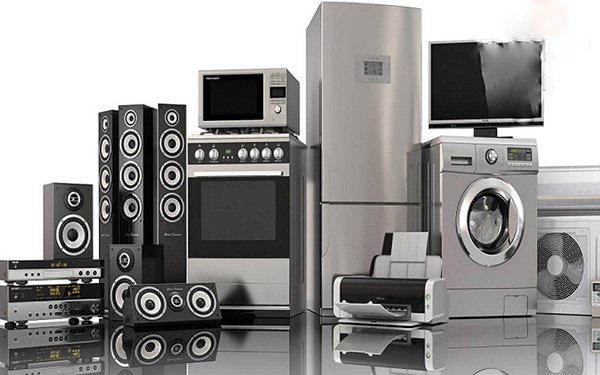
Electronics
13/09/2026
9 min read
The Ultimate Guide to Navigating the World of Electronics: Making Smart Choices in a Tech-Driven Era
The realm of electronics is a vast and ever-expanding universe, offering a dazzling array of devices designed to enhance our lives, connect us to the world, and entertain us in countless ways. From the smartphones in our pockets to the smart home systems that automate our living spaces, electronics have become an indispensable part of modern existence. However, with such a dizzying selection, making informed purchasing decisions can feel like navigating a complex maze. This comprehensive guide is designed to equip you with the knowledge and confidence to choose the right electronics for your needs, budget, and lifestyle.Understanding Your Needs: The Foundation of Smart Electronics Shopping
Before diving into the latest gadgets and specifications, the most crucial step is to clearly define what you need and why. Impulsive purchases, often driven by marketing hype or fleeting trends, can lead to buyer's remorse and wasted money. Take the time to ask yourself the following questions:What problem am I trying to solve?
Are you looking for a device to improve productivity, enhance entertainment, simplify a daily task, or connect with loved ones more effectively? Identifying the core purpose will immediately narrow down your options. For instance, if you need a device for professional video editing, your requirements will be vastly different from someone seeking a tablet for casual browsing and reading.Who will be using the device?
Consider the user's technical proficiency. A complex piece of equipment might be overwhelming for a novice, while a simplified interface might frustrate an experienced user. Think about age, skill level, and any specific accessibility needs.What is my budget?
Electronics range from budget-friendly essentials to high-end luxury items. Setting a realistic budget upfront will prevent you from falling in love with a device you can't afford and help you focus on options within your price range. Remember to factor in potential accessories, extended warranties, or subscription services that might be necessary.What are my must-have features?
List the essential functionalities you cannot live without. For a laptop, this might include processing power, RAM, and storage. For a television, it could be screen resolution, refresh rate, and smart TV capabilities. Differentiate between "must-haves" and "nice-to-haves."What is my existing ecosystem?
If you're heavily invested in a particular brand's ecosystem (e.g., Apple, Samsung, Google), consider how a new device will integrate. Compatibility can significantly enhance user experience and unlock additional features.Decoding the Jargon: Essential Electronics Terminology Explained
The world of electronics is rife with technical terms and acronyms that can be intimidating. Understanding these key concepts will empower you to compare products effectively and make informed decisions.Processing Power: The Brains of the Operation
- CPU (Central Processing Unit): Often referred to as the "brain" of a device, the CPU performs calculations and executes instructions. Key metrics include clock speed (measured in GHz) and the number of cores. More cores and higher clock speeds generally translate to faster performance.
- GPU (Graphics Processing Unit): Essential for tasks involving visuals, such as gaming, video editing, and graphic design. A powerful GPU ensures smooth rendering and high-quality graphics.
Memory and Storage: Keeping Data Accessible
- RAM (Random Access Memory): This is the device's short-term memory, used for actively running applications and processes. More RAM allows for smoother multitasking and faster switching between programs.
- Storage (SSD vs. HDD):
- SSD (Solid State Drive): Significantly faster than HDDs, offering quicker boot times, faster application loading, and snappier overall performance. Ideal for operating systems and frequently used programs.
- HDD (Hard Disk Drive): Offers higher storage capacities at a lower cost per gigabyte. Better suited for storing large files like movies, music, and backups where speed is less critical.
Connectivity: Staying in Touch
- Wi-Fi Standards: Wi-Fi 6 (802.11ax) and Wi-Fi 6E offer faster speeds, lower latency, and improved performance in crowded networks compared to older standards like Wi-Fi 5 (802.11ac).
- Bluetooth Versions: Bluetooth 5.0 and later offer improved range, faster data transfer, and lower power consumption, enhancing the experience with wireless peripherals.
- Ports:
- USB-A: The traditional rectangular USB port, commonly used for peripherals like keyboards, mice, and external drives.
- USB-C: A smaller, reversible connector that supports faster data transfer speeds, power delivery, and even video output. Becoming the standard across many devices.
- HDMI: The standard for transmitting high-definition audio and video signals between devices, such as a computer and a TV.
- Thunderbolt: A high-speed interface that combines data, video, and power delivery over a single USB-C port.
Display Technology: Visual Clarity and Immersion
- Resolution: Refers to the number of pixels on a screen. Higher resolutions (e.g., 4K, 8K) offer sharper images and more detail.
- Refresh Rate: Measured in Hertz (Hz), this indicates how many times the screen updates per second. A higher refresh rate (e.g., 120Hz) results in smoother motion, which is particularly beneficial for gaming and fast-paced video content.
- Panel Types:
- IPS (In-Plane Switching): Offers excellent color accuracy and wide viewing angles, making it suitable for content creation and general use.
- OLED (Organic Light-Emitting Diode): Provides perfect blacks, infinite contrast, and vibrant colors due to self-emissive pixels. Ideal for cinematic viewing experiences.
- QLED (Quantum Dot LED): Enhances the color and brightness of LED displays by using quantum dots. Offers superior brightness and color volume compared to traditional LEDs.
Key Electronics Categories and What to Look For
Let's delve into some of the most popular electronics categories and highlight key considerations for each.Computers: Laptops and Desktops
- For Productivity and General Use: Focus on a balance of CPU, RAM, and SSD storage. A comfortable keyboard and a good display are also important for extended use.
- For Gaming: Prioritize a powerful dedicated GPU, a high refresh rate display, and sufficient RAM. Consider cooling systems to prevent overheating during intense gaming sessions.
- For Creative Professionals (Video Editing, Graphic Design): Look for high-end CPUs and GPUs, ample RAM (16GB or more is often recommended), fast SSD storage, and color-accurate displays.
- Operating System: Windows, macOS, and ChromeOS each offer different user experiences and software compatibility. Choose the one that best suits your workflow and preferred applications.
Smartphones and Tablets: Your Mobile Command Centers
- Performance: Consider the processor and RAM for smooth app performance and multitasking.
- Camera Quality: If photography is important, research camera specifications, sensor size, aperture, and software features.
- Battery Life: A crucial factor for all mobile devices. Look for devices with good battery capacity and efficient power management.
- Display: Screen size, resolution, and display technology (e.g., AMOLED for vibrant colors) contribute to the viewing experience.
- Storage: Ensure sufficient internal storage or the option for expandable storage via microSD cards.
- Operating System: Android and iOS are the dominant mobile operating systems, each with its own strengths and app ecosystems.
Televisions: The Heart of Home Entertainment
- Screen Size: Determine the appropriate size based on your viewing distance and room dimensions.
- Resolution: 4K is now the standard, offering a significant upgrade over Full HD. Consider 8K for future-proofing, but ensure content availability.
- HDR (High Dynamic Range): Enhances contrast and color accuracy, providing a more lifelike image. Look for HDR10, HDR10+, and Dolby Vision support.
- Smart TV Platform: Choose a platform with a user-friendly interface and access to your favorite streaming apps.
- Refresh Rate: Higher refresh rates (120Hz) are beneficial for sports and gaming.
- Sound Quality: While built-in speakers are improving, consider a soundbar or home theater system for a truly immersive audio experience.
Audio Equipment: Immersive Sound Experiences
- Headphones:
- Over-ear: Offer superior comfort and sound isolation, ideal for home listening or studio use.
- On-ear: A more compact option, providing a balance of portability and sound quality.
- In-ear (Earbuds): Highly portable and discreet, suitable for commuting and exercise. Look for noise-cancellation features for enhanced immersion.
- Speakers:
- Bluetooth Speakers: Portable and convenient for wireless audio playback.
- Soundbars: A sleek and simple way to upgrade your TV's audio.
- Home Theater Systems: Offer the most immersive audio experience with multiple channels and subwoofers.
- Audio Formats: Consider support for high-resolution audio formats for the best possible sound quality.
Smart Home Devices: Enhancing Convenience and Efficiency
- Smart Speakers/Displays: Act as voice assistants and control other smart home devices.
- Smart Lighting: Control your lights remotely, set schedules, and create mood lighting.
- Smart Thermostats: Optimize your home's temperature for comfort and energy savings.
- Smart Security: Cameras, doorbells, and locks offer enhanced home security and remote monitoring.
- Compatibility: Ensure that your smart home devices are compatible with your chosen smart home ecosystem (e.g., Amazon Alexa, Google Assistant, Apple HomeKit).
Beyond the Specs: Important Considerations for Long-Term Value
While specifications are important, several other factors contribute to a satisfying electronics purchase.Build Quality and Durability
A well-built device will not only look and feel better but also last longer. Read reviews and research materials used in construction. Consider devices with metal chassis or reinforced glass for added durability.User Reviews and Expert Opinions
Before making a final decision, consult user reviews on reputable retail sites and professional reviews from tech publications. These can offer real-world insights into a product's performance, reliability, and any potential drawbacks.Warranty and Customer Support
A good warranty provides peace of mind. Understand the warranty period and what it covers. Research the manufacturer's reputation for customer support in case you encounter any issues.Software Updates and Longevity
For devices like smartphones, tablets, and smart home hubs, consider the manufacturer's commitment to providing regular software updates. These updates often bring new features, security patches, and performance improvements, extending the useful life of your device.Environmental Impact and Sustainability
As consumers become more environmentally conscious, consider brands that prioritize sustainability in their manufacturing processes and offer energy-efficient products. Look for certifications like ENERGY STAR.The Future of Electronics: What's Next?
The electronics landscape is constantly evolving. Keep an eye on emerging technologies like:- Artificial Intelligence (AI): AI is being integrated into a growing number of devices, from personal assistants to advanced imaging in cameras.
- Internet of Things (IoT): The interconnectedness of devices will continue to grow, creating more seamless and automated living experiences.
- Augmented Reality (AR) and Virtual Reality (VR): These immersive technologies are finding applications beyond gaming, in education, training, and remote collaboration.
- Foldable and Flexible Displays: Expect to see more innovative form factors in smartphones and other devices.